Saving on S3 Storage Costs with Lifecycle Rules
AWS S3 is a great modern cloud-based solution backed with high redundancy and surprisingly low costs. Whether it is storing (and hosting!) static web files or storing important legal documents S3 has you covered with an easy to use API with tons of optional goodies like AES-256 encryption, logging and transfer acceleration with minimal configuration backed by one of the largest companies in the world. Its no wonder that since its inception its popularity has exploded and become one of AWS's most successful products.
Even though it is cost efficient, especially compared to the costs of self management, with a little knowledge we can reduce these cost even further to raise our bottom line. Using AWS S3 lifecycle management we can automate the process of moving objects to lower cost tiers when they are no longer frequently accessed. To know if this is worth it for your data you need to know how AWS actually prices each tier.
Quick Explanation of AWS pricing
When looking at the pages AWS provides for comparing the prices of different storage tiers it can be a bit daunting, but it can mostly be boiled down to four rules:
- The less an object is accessed the more cost effective it would be to move it to a lower tier.
- The more something is accessed, the more cost effective it would be to move it to a higher tier.
- If something needs to be accessed quickly you will need to use a tier other than Glacier or Glacier Deep Archive.
- Unless the possibility of losing your data isn't catastrophic, you probably shouldn't use S3 One Zone-IA as all your data could be lost if your buckets region experiences failure.
*The following prices change frequently. Make sure to check AWS for up to date pricing info for your region.
At time of writing AWS is currently charing $0.023 per GB in the US EAST (Ohio) region for a standard S3 Bucket. For S3 Glacier it is currently $0.004, about a 17% decrease per GB stored. While this difference would be negligible with only a few GBs the difference in cost scales quickly with the amount data you are storing.
The caveat is in data retrieval. The quickest retrieval option for Glacier is "Expedited" which can take a whopping 1-5 minutes (and can be longer if over 250 MB), and costs $0.03 per GB plus $0.01 per request. Compare that to Standard which returns data in milliseconds and only costs $0.0004 per request with no cost per GB. So if I request 1 GB of data from a Standard bucket it would cost me $0.0004. The same request from a Glacier bucket would cost $0.04. That is 99% more than the standard S3 bucket. S3 Glacier is great for data we access very seldom but need to hold on to in the event that we do.
Check out the pricing at AWS to get exact details on what will work best for your scenario. For many simply moving objects to S3 Standard-IA after a period of time may be a better fit as you keep the speed of Standard while paying less for storage and more for accessing or putting object in the bucket. If you have objects that may go through periods of being frequently accessed and then long stretches of not being accessed at all there is S3 Intelligent-Tiering that will move objects buckets automatically when usage patterns change.
Note that when a lifecycle rule moves an object from one bucket to another you still pay any fees associated with putting an object in that tier. For instance Glacier has a cost of $0.05 per 1,000 requests. So if the object in question is very small (under a MB) it may not be worth the cost of moving it since the storage costs saved would be astronomically small.
Adding A Lifecycle Rule To S3
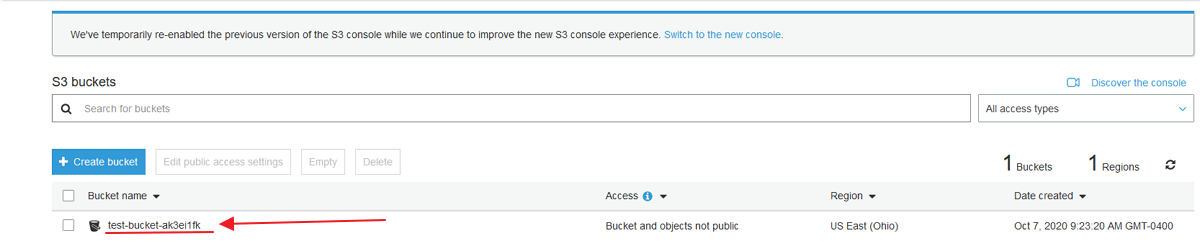
For this example we are going to create a basic bucket in S3 with the default settings and then click on the link to open it.
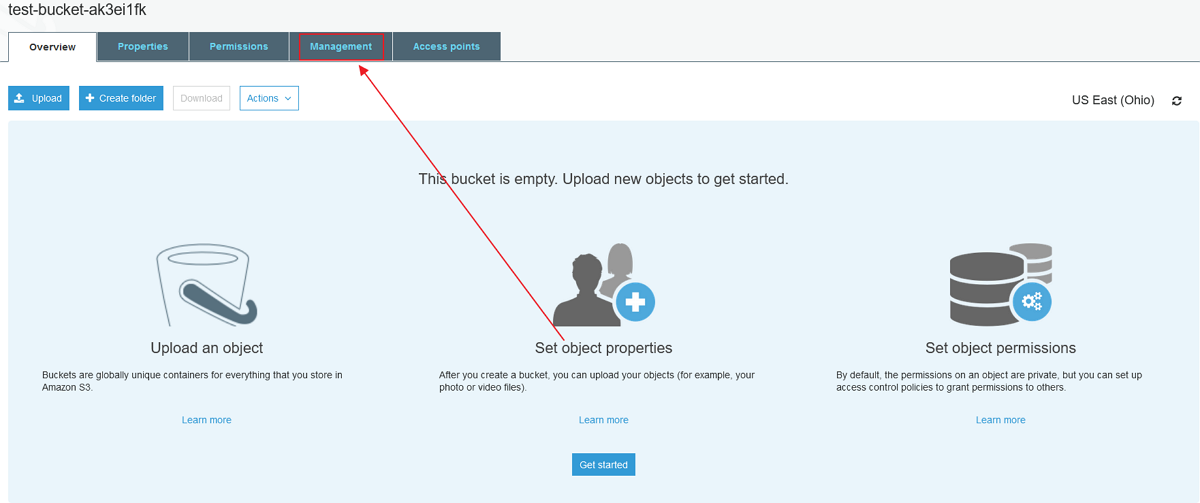
Next we'll open the management tab.
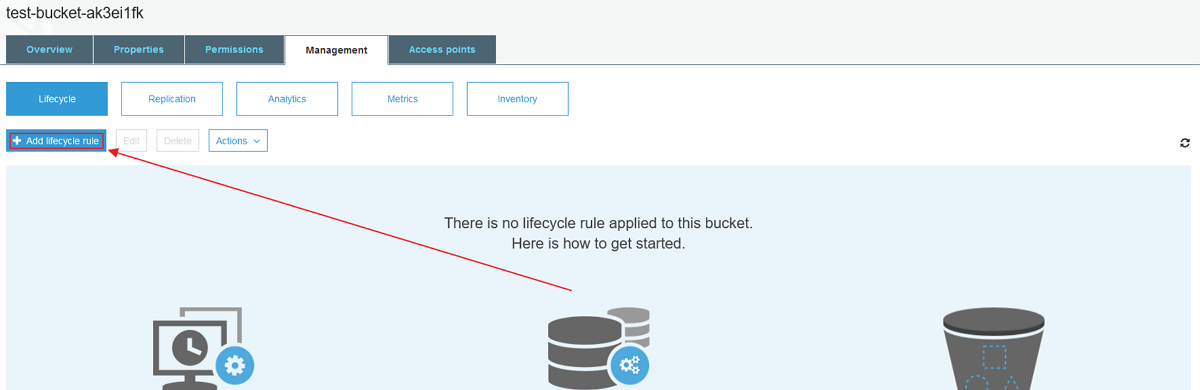
Then add a lifecycle rule.
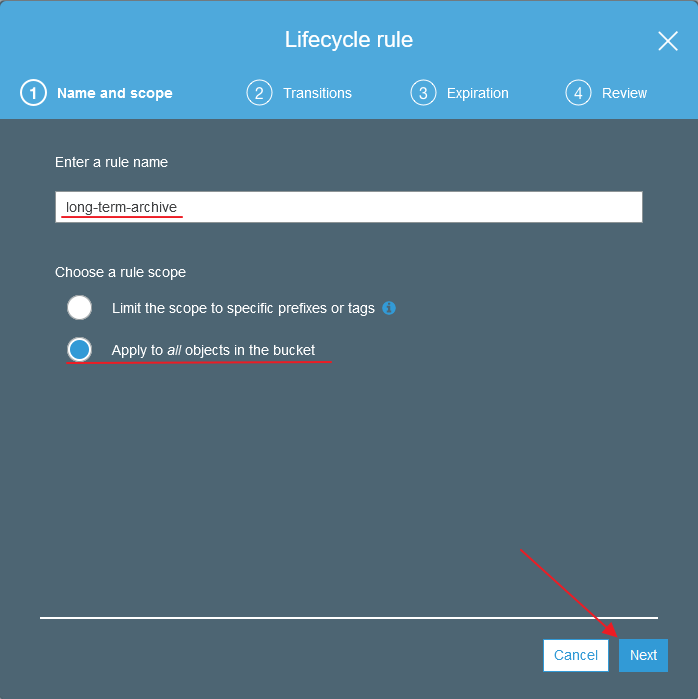
We need to give our new rule a name and decide if we want this to apply to all objects in the bucket or only ones with specific prefixes or tags. For this example we'll just do all the objects in the bucket.
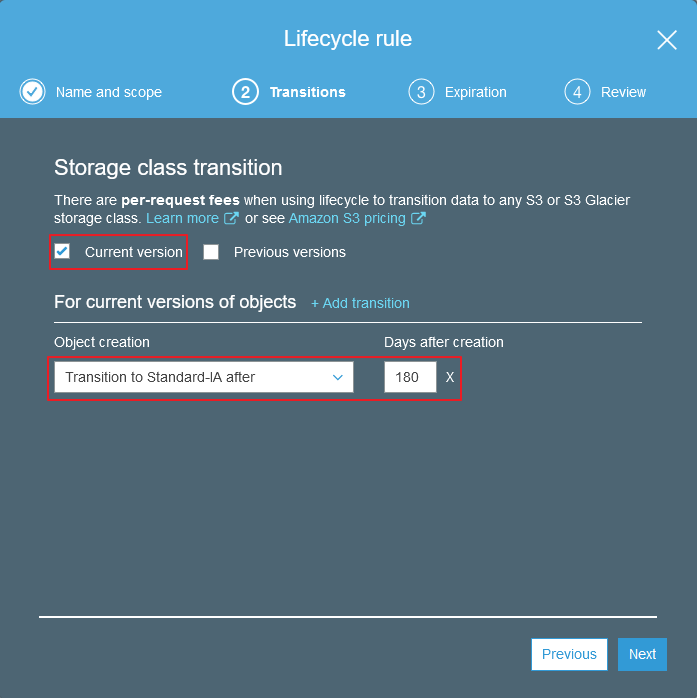
If you are using bucket versioning you can decide if you would like to transition all previous versions of the object, only the current version, or all when this rule is applied. Since we are not using versioning we'll just check current.
Then we need to decided which bucket tier we would like to move the object too and when to do it. In our scenario, we are going to assume we have data that is frequently accessed after it is first created but quickly drops after 2-3 months of use. I still need to be able to access this data quickly but I know it won't be accessed often and would like to save on storage costs. In this case, moving the objects to Standard-IA after 180 days should be perfect.
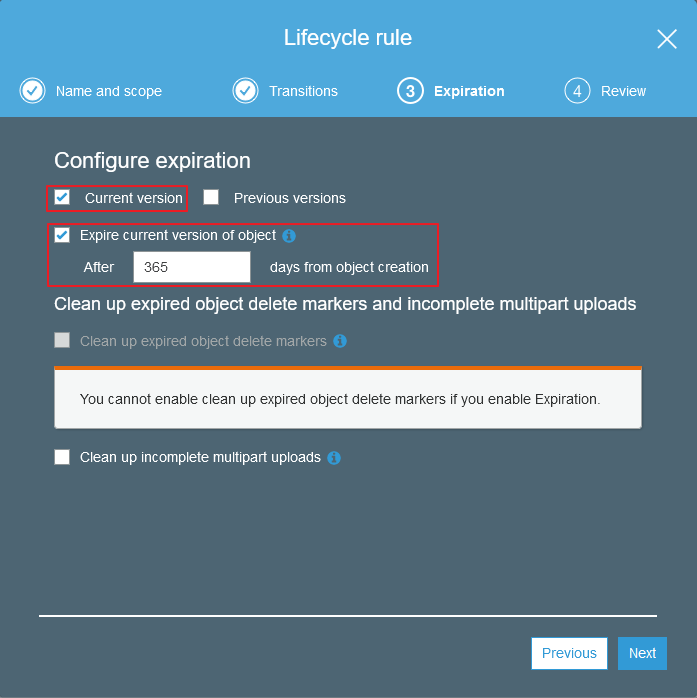
Next we can set a time in which the object will expire (be deleted). If you are using object delete markers or multipart uploads you can choose to clean those up here. For our scenario we'll say that after a year the objects we are dealing with are no longer valid and we have no reason to keep them around. So I'll check that I would like the objects to be deleted after 365 days.
Next we can review and edit our changes. If you applied the rule to all objects in the bucket you'll need to check the box confirming that this is what you actually want. Once your happy with your changes go ahead and save.

And thats it! Our objects will now be moved according to the rules we set and assuming we picked rules that match our use case, we'll start saving money! If you have any questions or would like us to assist you with AWS or any other software development needs feel free to reach out and we'd be happy to talk!